


In today’s digital world, customers expect websites to work smoothly on smartphones, tablets, laptops and desktop computers. People use their mobile devices to search for local businesses, compare products, read service information, book appointments and make online purchases. If your website is difficult to navigate on a smartphone, visitors may leave before discovering what your business offers. This is why Mobile-Friendly Website Design has become an essential part of building a successful online presence.
A mobile-friendly website automatically adjusts its layout, text, images, buttons and navigation to suit different screen sizes. Instead of requiring visitors to zoom in, scroll horizontally or struggle with tiny buttons, a responsive website provides a comfortable browsing experience across devices.
For businesses in Mumbai and throughout India, mobile accessibility is particularly important because potential customers frequently discover services and products through smartphone searches, social media links and messaging applications. Whether you run a local service business, a professional consultancy, a retail brand or an e-commerce store, your website should make it easy for mobile visitors to understand your offerings and take action.
Mobile-Friendly Website Design also supports broader business goals, including customer engagement, lead generation, accessibility and online sales. A responsive layout can make your website easier to use, while good performance and helpful content encourage visitors to explore further.
However, mobile responsiveness alone does not guarantee higher Google rankings or more sales. Your website also needs useful content, clear navigation, fast loading times, secure functionality and relevant calls to action.
In this guide, we explain why every business needs a responsive website, which design elements matter most, how mobile usability affects SEO and conversions, and what businesses should consider when investing in a mobile-friendly website in 2026.
1. What Is Mobile-Friendly Website Design?
Mobile-Friendly Website Design refers to creating a website that remains readable, functional and easy to navigate on mobile devices. A well-designed mobile website adapts to different screen dimensions without forcing visitors to enlarge content manually or navigate through awkward layouts.
Responsive web design is one of the most common approaches to achieving this. It uses flexible layouts, scalable images, appropriate typography and CSS media queries to adjust the presentation of a website according to the available screen space.
For example, a desktop website might display three service cards side by side. On a smartphone, those cards can stack vertically so visitors can read each service without horizontal scrolling. A wide desktop navigation menu may also become a compact mobile menu that is easier to use with one hand.
A mobile-friendly website should provide the same essential information and functionality across devices, even when the visual arrangement changes.
Important Elements of a Mobile-Friendly Website
- Responsive layouts: Content adjusts to different screen sizes and orientations.
- Readable typography: Text remains comfortable to read without unnecessary zooming.
- Touch-friendly controls: Buttons, links and form fields are easy to tap.
- Optimized images: Images fit smaller screens without unnecessarily increasing loading time.
- Simple navigation: Visitors can locate products, services and contact details quickly.
- Functional forms: Enquiry forms, booking forms and checkout processes work correctly on mobile devices.
A website can appear attractive on a desktop but still provide a poor mobile experience. Testing the complete website on actual smartphones helps identify issues that may not be obvious when viewing a desktop preview.
2. Why Every Business Needs a Responsive Website
Customers may visit your website from different devices depending on their location, needs and browsing habits. Someone might discover your business through a smartphone search while travelling, research your services on a laptop later, and return to your website on a mobile device to submit an enquiry.
If the experience changes dramatically between devices or important functions become difficult to use, customers may lose confidence in your business.
Mobile-Friendly Website Design helps create a consistent experience by making essential information and functionality accessible across screen sizes. This is valuable for businesses that rely on website enquiries, appointment bookings, product purchases or local discovery.
A responsive website also simplifies website management. Instead of maintaining separate desktop and mobile websites, businesses can generally manage one website with layouts that adapt to different devices.
Business Benefits of Responsive Website Design
- Improved customer experience: Visitors can read information and navigate pages more comfortably.
- Better enquiry opportunities: Clear contact buttons and simple forms make it easier to contact your business.
- Stronger brand credibility: A polished mobile experience helps your business appear professional.
- More convenient shopping: Customers can browse products, compare options and complete purchases on their phones.
- Simplified maintenance: One responsive website can reduce the complexity of managing separate versions.
- Wider accessibility: Visitors using different screen sizes can access your content more comfortably.
Consider a Mumbai-based interior design company whose website displays beautiful project images on desktop but cuts off important content on mobile. Prospective customers may struggle to view completed projects or find the enquiry button. Responsive design can resolve these problems by adapting galleries, service sections and contact options to smaller screens.
The objective is not simply to make a website fit a phone. It is to make the entire customer journey practical and straightforward.
3. How Mobile-Friendly Website Design Improves User Experience
User experience describes how easily visitors can interact with your website and accomplish their goals. A positive experience helps people find information, understand your services and complete actions without unnecessary frustration.
Mobile screens have less available space than desktop monitors. This makes content hierarchy, spacing, navigation and interaction design especially important.
A responsive website should present the most useful information clearly without overwhelming visitors with excessive content or complicated menus.
Mobile UX Elements Every Website Should Include
Clear navigation: Use a simple menu structure with descriptive labels. Important pages, such as Services, About, Contact and Shop, should be easy to find.
Readable text: Select suitable font sizes, line heights and paragraph widths. Avoid tiny text that requires visitors to zoom in.
Visible calls to action: Buttons such as Call Now, Request a Quote, Book an Appointment and Shop Now should be easy to identify.
Comfortable spacing: Provide enough space between links, buttons and form controls to reduce accidental taps.
Logical content order: Present important information first, followed by supporting details, proof of credibility and the next action.
Consistent visual design: Maintain recognizable branding, colors, typography and button styles across desktop and mobile layouts.
Another important consideration is mobile navigation depth. If visitors must open several menus before reaching a service page, they may abandon the process. Organize your website structure so the most important pages are accessible with minimal effort.
Forms deserve similar attention. Use mobile-friendly input fields, appropriate keyboards where possible, clear error messages and only the essential required fields. A long enquiry form with too many mandatory questions can discourage potential customers.
Effective Mobile-Friendly Website Design balances visual appeal with usability. Every design decision should help visitors understand the page and complete their intended task.
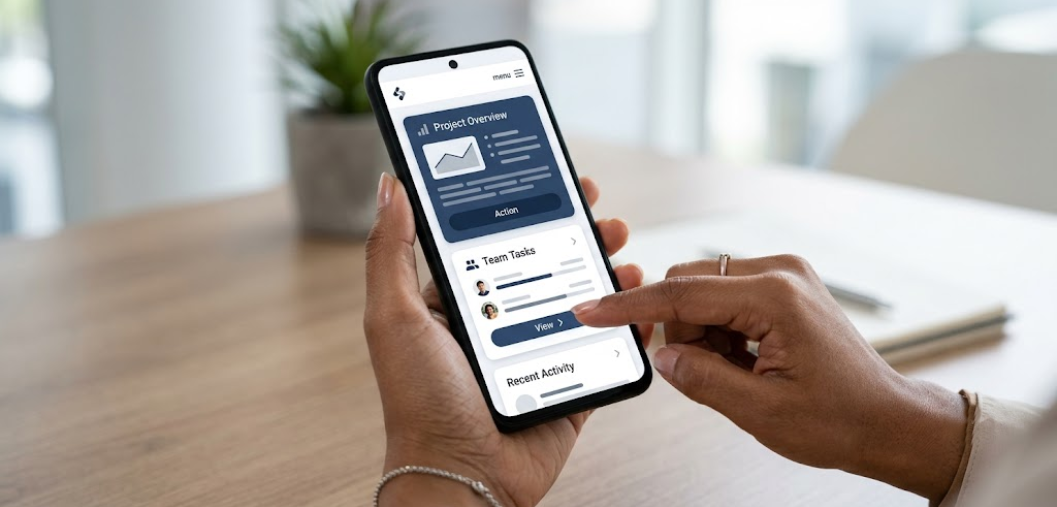
4. The Relationship Between Responsive Websites and SEO
Search engine optimization helps your website become discoverable when potential customers search for relevant products, services or information. Mobile usability is an important part of building a website that serves visitors effectively.
Google primarily uses the mobile version of a website’s content for indexing. If the mobile version removes important information, structured data or internal links that exist on desktop, search engines may not receive the same signals from your pages.
A responsive website helps businesses maintain a consistent content experience across devices. However, responsive design by itself does not guarantee top rankings. Search visibility also depends on content relevance, technical accessibility, website quality, competition and other factors.
Mobile SEO Practices to Follow
- Maintain equivalent content: Keep important headings, descriptions, links and supporting information available on mobile.
- Use responsive layouts: Make pages adapt naturally to smartphones and tablets.
- Optimize images: Use suitable dimensions and modern image formats where appropriate.
- Check mobile indexing: Make sure important pages can be crawled and indexed.
- Keep internal links accessible: Help visitors and search engines discover related pages.
- Use readable metadata and headings: Structure page information clearly and logically.
- Test mobile usability: Check for overlapping elements, clipped text and horizontal scrolling.
For local businesses, mobile-friendly pages can also support customer actions such as finding a business address, opening directions, calling the company or submitting a service enquiry.
For example, a website development company targeting Mumbai customers should make its service pages easy to read on mobile, clearly explain its offerings and provide accessible contact options. Relevant content and strong usability work together to create a better search and visitor experience.
Businesses should also monitor Google Search Console and website analytics to understand indexing issues, search performance and how visitors interact with important pages.
5. How Website Speed Affects the Mobile Experience
A mobile-friendly website should not only look good; it should also load efficiently. Visitors using mobile connections may experience inconsistent network speeds, and unnecessarily large images, excessive scripts or poorly configured hosting can make pages slow to load.
Slow pages can interrupt browsing, reduce satisfaction and create friction during important actions such as submitting an enquiry or completing checkout. Improving performance helps visitors access your content with less waiting.
Website speed can also contribute to search performance through Google’s page experience considerations and Core Web Vitals. These metrics evaluate aspects of loading performance, responsiveness and visual stability.
Practical Ways to Improve Mobile Website Speed
- Compress images: Reduce image file sizes while preserving acceptable visual quality.
- Use modern formats: Consider WebP or AVIF when supported by your workflow and platform.
- Reduce unnecessary scripts: Remove unused plugins, tracking scripts and redundant code where possible.
- Use suitable hosting: Choose hosting that can handle your website’s traffic and technical requirements.
- Enable caching: Configure appropriate browser and server-side caching.
- Optimize fonts: Limit unnecessary font families and weights.
- Reduce layout shifts: Reserve appropriate space for images, advertisements and other elements that load later.
- Test real pages: Check important landing pages, product pages and forms instead of testing only the homepage.
Google’s Core Web Vitals include Largest Contentful Paint (LCP), Interaction to Next Paint (INP) and Cumulative Layout Shift (CLS). These measure loading performance, interaction responsiveness and visual stability, respectively.
For general guidance, Google recommends an LCP of 2.5 seconds or less, an INP of 200 milliseconds or less, and a CLS score of 0.1 or less, measured at the 75th percentile of page visits.
Avoid optimizing speed at the expense of essential functionality. A practical performance strategy improves loading and interaction while keeping important content, accessibility and conversion features intact.
6. Responsive Design for E-commerce Websites
Mobile-Friendly Website Design is particularly important for e-commerce businesses because customers increasingly use smartphones to discover products, compare options and shop online.
A store that looks attractive on desktop but provides a frustrating mobile checkout can lose potential sales. Small product images, difficult filters, confusing menus and oversized forms can make purchasing unnecessarily complicated.
Responsive e-commerce design should support the complete shopping journey, from discovering a product to receiving order confirmation.
Essential Mobile E-commerce Features
Mobile-friendly product pages: Display clear product images, pricing, availability, descriptions, specifications and delivery information.
Simple product filtering: Make it easy to filter by price, size, color, category and other relevant attributes.
Accessible add-to-cart buttons: Keep important shopping actions easy to locate without covering product information.
Convenient cart management: Allow shoppers to update quantities, remove items and review totals easily.
Streamlined checkout: Request only necessary information and clearly explain delivery charges, taxes and available payment methods.
Secure payment integration: Use reputable payment providers and maintain a secure checkout experience.
Visible customer support: Provide practical access to contact information, order assistance and relevant return policies.
Businesses should test product variants, coupons, shipping calculations, payment redirects and order confirmation on actual mobile devices. A checkout may appear responsive while still failing because a payment field, popup or third-party widget does not work correctly on smaller screens.
For Indian e-commerce businesses, it is also helpful to communicate delivery timelines, return conditions and available payment options clearly before customers reach the final checkout step.
The right mobile shopping experience reduces avoidable friction and helps customers make informed purchasing decisions.
7. Mobile-Friendly Design Helps Generate More Leads
For service-based businesses, a website often serves as a primary channel for enquiries and appointments. Visitors may arrive from Google search, social media advertisements, online directories or referrals.
If these visitors cannot find your phone number, understand your services or complete an enquiry form comfortably, the website may fail to convert their interest into a useful business opportunity.
Mobile-Friendly Website Design can improve lead generation by making the next step clear and convenient.
Lead Generation Elements to Optimize
- Prominent contact buttons: Place relevant call, email or enquiry options where visitors can find them.
- Short enquiry forms: Ask for essential details rather than requesting excessive information.
- Clear service descriptions: Explain what you provide, who you help and what customers can expect.
- Trust-building elements: Include genuine testimonials, relevant case studies, qualifications and project examples where appropriate.
- Mobile-friendly landing pages: Align the page content with the advertisement or search intent that brought visitors there.
- Convenient appointment options: Provide an accessible booking process if your business accepts consultations or appointments.
- Visible business information: Make service areas, working hours and contact details easy to access.
For example, a digital marketing agency in Mumbai may attract visitors searching for SEO or social media management services. A mobile-friendly landing page can explain the service, show relevant experience and provide a simple enquiry form.
Avoid displaying too many popups or forcing visitors to dismiss multiple overlays before they can read the page. Such interruptions can be especially frustrating on smaller screens.
Track meaningful actions, including successful form submissions, phone link clicks, appointment bookings and qualified enquiries. These measurements help you identify whether design improvements are supporting business outcomes.

8. Common Mobile Website Design Mistakes to Avoid
Even businesses with modern websites can experience mobile usability problems. These issues may develop when pages are designed primarily for desktop screens, new plugins are installed without testing or website content is added without checking smaller layouts.
Identifying and correcting these mistakes helps create a more reliable browsing experience.
Mistakes That Can Damage Mobile Usability
- Horizontal scrolling: Fixed-width sections, oversized tables or images may extend beyond the screen.
- Tiny typography: Text that is too small can make service details difficult to read.
- Overlapping elements: Headers, sticky buttons, banners and popups may cover important content.
- Crowded navigation: Too many links in a small area can make menus difficult to use.
- Oversized images: Large images can slow down pages and push important content further down.
- Intrusive popups: Full-screen overlays may prevent visitors from reading or interacting with the page.
- Complicated forms: Excessive fields, unclear labels and poorly displayed error messages create friction.
- Desktop-only content: Important service details or calls to action may disappear on mobile.
- Poor touch spacing: Closely positioned buttons can lead to accidental taps.
- Untested third-party tools: Chat widgets, booking systems and payment components may not display correctly.
WordPress websites require particular attention because themes, page builders and plugins can introduce conflicting styles. A layout that works in the Elementor editor may behave differently on a published page because of caching, theme CSS or responsive settings.
After significant changes, test the live website rather than relying exclusively on the page builder preview. Check common mobile screen widths, scroll through every important section and interact with the website’s buttons, menus and forms.
Fix the problems that block access to content or prevent important actions first. Small visual refinements can follow once essential functionality is working reliably.
9. How to Make Your Existing Website Mobile-Friendly
If your current website performs poorly on smartphones, you may not need to rebuild everything immediately. The best approach depends on your website’s structure, technology, age, performance and the severity of its problems.
A structured audit helps identify whether responsive CSS adjustments, image optimization, template improvements or a larger redesign will deliver the most practical result.
Step-by-Step Mobile Website Improvement Checklist
Step 1: Test important pages. Review your homepage, service pages, contact page, blog posts, product pages and checkout process.
Step 2: Identify layout problems. Look for clipped content, horizontal scrolling, overlapping sections, fixed-width elements and awkward spacing.
Step 3: Improve responsive breakpoints. Adjust layouts for mobile, tablet and desktop using appropriate CSS media queries or page-builder settings.
Step 4: Review typography. Check headings, body text, line height and paragraph spacing on smaller screens.
Step 5: Simplify navigation. Make menus compact, accessible and easy to operate with touch controls.
Step 6: Optimize images and scripts. Reduce unnecessary page weight and investigate performance bottlenecks.
Step 7: Improve forms and buttons. Check field sizes, labels, validation messages, button spacing and submission behaviour.
Step 8: Verify SEO elements. Confirm that important content, internal links, metadata and structured data remain appropriately available.
Step 9: Test across devices. Use browser developer tools alongside real smartphones where possible.
Step 10: Monitor after launch. Review analytics, user feedback, performance metrics and enquiry completion rates.
For a WordPress website, check the theme’s responsive settings and the page builder’s device-specific controls before adding large amounts of custom CSS. Avoid hiding important content simply to make a mobile layout appear cleaner.
When a website contains extensive legacy code, inconsistent templates or major functionality problems, a redesign may be more efficient than repeatedly patching individual sections.
10. Choosing the Right Platform for Responsive Website Design
The technology behind your website influences how easily you can build, manage and improve mobile experiences. The right choice depends on your business model, technical requirements, budget and plans for future growth.
There is no single platform that is best for every business. WordPress, Shopify and custom development can all support responsive websites when they are implemented correctly.
WordPress
WordPress is suitable for many business websites, blogs, professional service websites and content-focused platforms. Responsive themes and page builders such as Elementor allow developers to customize layouts for different devices.
However, the final result depends on theme quality, plugin compatibility, image optimization and the implementation of responsive styles.
Shopify
Shopify is designed for e-commerce businesses that want to manage products, orders, payments and other store operations through a hosted platform. Its themes provide responsive foundations, but customized sections, apps and checkout-related integrations should still be tested on mobile devices.
Custom Website Development
Custom development can be appropriate when a business needs specialized workflows, unique interfaces, complex integrations or functionality that standard platforms cannot easily provide.
It can offer greater implementation flexibility, but the project needs suitable planning, testing, maintenance and technical expertise.
How to Choose the Right Option
- For a service business: Consider a manageable platform with strong content, contact and lead-generation capabilities.
- For a content-focused website: Prioritize editorial flexibility, responsive templates and SEO controls.
- For an online store: Evaluate product management, checkout usability, mobile shopping features and payment integrations.
- For specialized requirements: Compare custom development with existing platforms before committing to a larger budget.
When selecting a developer, ask to see working websites on mobile devices rather than judging projects only by desktop screenshots. Review page speed, navigation, accessibility, forms and the quality of the overall mobile experience.
11. Final Thoughts: Invest in Mobile-Friendly Website Design for Business Growth
A website is often one of the first places where potential customers learn about your business. If visitors cannot comfortably read your content, navigate your pages or complete important actions on a smartphone, you may lose valuable opportunities before a conversation even begins.
Mobile-Friendly Website Design helps businesses provide a consistent experience across smartphones, tablets and desktop computers. By combining responsive layouts, readable typography, touch-friendly controls, optimized images and simple navigation, you can make your website more accessible and convenient for customers.
A responsive website can also support wider digital marketing efforts. Search engine optimization helps people discover relevant pages, while clear calls to action make it easier for interested visitors to contact your business. For e-commerce stores, mobile usability supports product discovery and checkout. For service providers, it can help turn website visits into enquiries and appointments.
Nevertheless, responsive design should be part of a broader website strategy. Performance, security, accessibility, content quality and reliable functionality remain important. Regular testing helps ensure that your website continues to work correctly as you add content, install plugins or introduce new features.
Your Action Plan for a Better Mobile Website
Before investing in a new website or improving your existing one, prioritize these actions:
- Review your website on commonly used smartphone screen sizes.
- Fix layout issues, horizontal scrolling and overlapping elements.
- Make important content, contact details and calls to action easy to find.
- Optimize images, scripts and other performance bottlenecks.
- Test enquiry forms, booking tools, shopping carts and payment workflows.
- Check that mobile visitors can access the same essential information as desktop visitors.
- Monitor performance, website enquiries and customer feedback after making improvements.
For businesses looking to strengthen their online presence, working with an experienced website development company can help create a responsive website aligned with your brand, audience and business objectives.
The Web Decor can help businesses plan and develop websites that combine professional design, responsive layouts, useful content and practical functionality. Whether you are building a new business website, improving a WordPress website or developing an online store, investing in Mobile-Friendly Website Design is a valuable step toward creating a more accessible and effective digital presence.

