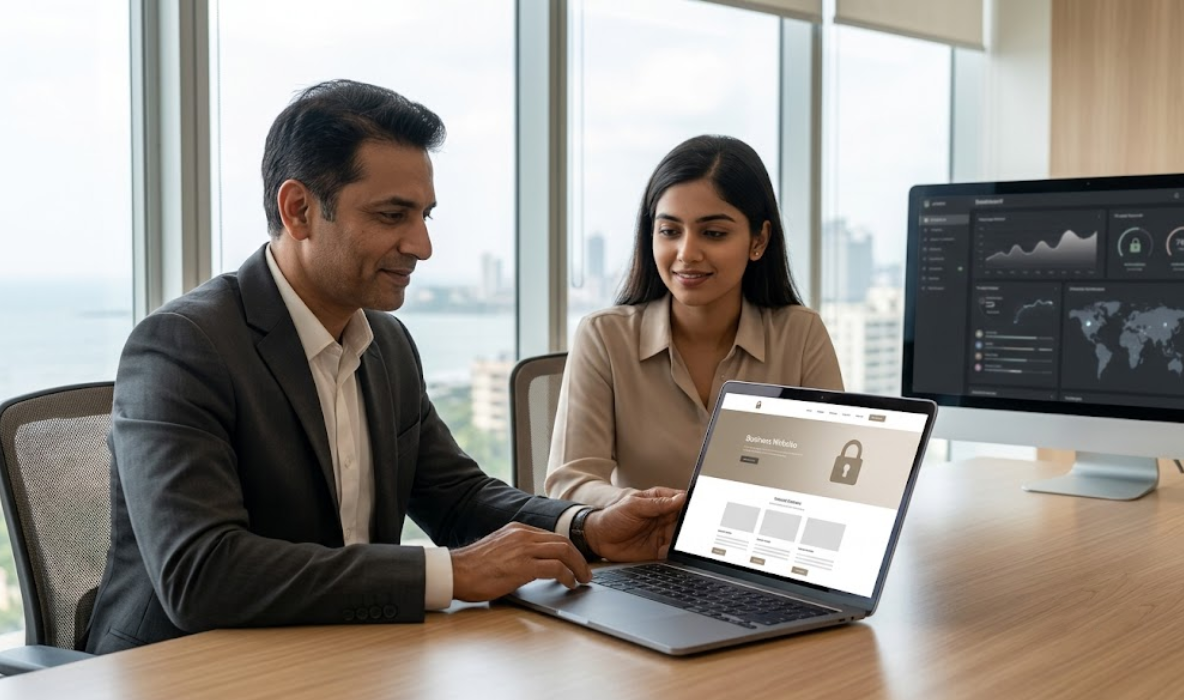
4. Strengthen Login Security with Strong Passwords and MFA
Your website administrator account provides access to important settings, content, user accounts, and sometimes customer information. If an attacker gains administrative access, they may be able to alter website content, install malicious software, or create additional accounts.
That makes login protection a central part of Website Security for Businesses.
Start by creating a unique, long password for every important account. Avoid using your business name, website name, common phrases, predictable number sequences, or passwords reused from other services.
A password manager can help employees generate and store unique credentials securely.
Next, enable multifactor authentication (MFA) wherever available. MFA requires an additional verification method beyond the password, making unauthorised access more difficult even if a password is exposed.
Prioritise MFA for:
- WordPress administrator accounts.
- Hosting control panels.
- Domain registrar accounts.
- Business email accounts.
- Website backups and cloud storage.
- Payment platforms and e-commerce administration.
- Developer accounts with access to website files or deployment systems.
Whenever possible, use a security key or a strong authenticator-based method supported by the service. Keep recovery codes in a secure location and establish a recovery process so the business does not lose access if a device is unavailable.
Additional login safeguards include limiting failed login attempts, removing unused accounts, and reviewing administrator activity. Avoid relying only on changing the default WordPress login URL; obscuring a login page is not a substitute for strong authentication.
The CISA guidance on multifactor authentication provides further recommendations for protecting business accounts.
5. Choose Secure Website Hosting and Configure Server Protection
Your website’s security depends partly on the infrastructure where it operates. A well-designed website may still face risks if its hosting environment is poorly maintained, its permissions are misconfigured, or its administrative credentials are exposed.
When choosing hosting for Website Security for Businesses, evaluate the provider’s security features alongside price, speed, and storage.
Look for a hosting provider that offers:
- Regular server updates: Supported operating systems, server software, and security patches.
- Malware scanning: Detection capabilities and a clear process for investigating infected files.
- Firewall protection: Network or web application protection appropriate for your hosting environment.
- Automated backups: Scheduled backups with clear retention periods and restoration options.
- Access controls: Secure hosting accounts, SSH or SFTP where appropriate, and restricted administrative access.
- Monitoring and support: Useful alerts and a defined response process for security incidents.
- Isolation between accounts: Appropriate separation of websites and users in shared environments.
Shared hosting may suit a basic business website, but businesses handling more traffic, sensitive information, or complex transactions may need stronger isolation or a managed hosting environment. The correct choice depends on the website’s architecture, risk level, performance requirements, and budget.
Also protect your domain registrar account. An attacker who gains control of your domain may be able to redirect visitors or interfere with email and website services. Use MFA, maintain accurate recovery information, and enable domain-locking features where available.
Do not assume that every security feature advertised by a hosting provider is included in your plan. Confirm the precise coverage, limitations, response times, and additional costs before choosing a service.
6. Create Reliable Backups and Test Website Recovery
Backups are essential because prevention alone cannot guarantee that a website will never experience a security incident. A backup can help restore a website after accidental deletion, a failed update, malicious changes, database corruption, or certain hosting failures.
However, having a backup file does not automatically mean your business can recover successfully. Backups must be complete, protected, accessible, and tested.
A reliable backup strategy should cover:
- Website files: WordPress core files, themes, plugins, uploads, and custom code.
- Database: Posts, pages, settings, users, orders, and other database-stored information.
- Backup frequency: Daily or more frequent backups when the website changes often or processes regular orders.
- Separate storage: Keep backup copies separate from the primary hosting environment.
- Access protection: Restrict access to backup files and encrypt them where appropriate.
- Retention: Maintain multiple recovery points rather than keeping only the newest backup.
- Restoration testing: Periodically restore a copy in a staging environment to confirm that the process works.
An online store may need more frequent backups than a static company website because orders and customer records change throughout the day. The appropriate schedule depends on how much data the business can afford to lose.
Consider the recovery time objective (RTO), which describes how quickly the website should be restored, and the recovery point objective (RPO), which describes how much recent data loss is acceptable.
For example, a business that depends on online enquiries may need a faster recovery process than a simple brochure website. An e-commerce store may need additional steps to preserve order consistency and avoid duplicate transactions.
Include backup recovery in your website maintenance plan. If a security incident occurs, restore only from a trusted backup after investigating the cause; otherwise, the original vulnerability or malware may return.
7. Protect Customer Data, Forms, and Payment Information
Many business websites collect information through enquiry forms, registration pages, appointment booking systems, newsletters, and online checkout processes. Every additional data collection point creates responsibilities for handling that information safely.
Website Security for Businesses should therefore include a review of what information the website collects, where it is stored, who can access it, and how long it needs to be retained.
Start with data minimisation. Collect only the information required for a clear business purpose. If a basic enquiry form needs a name, contact method, and message, avoid asking visitors to provide unnecessary sensitive information.
Important measures include:
- Use HTTPS across forms and account pages.
- Keep form plugins and related integrations updated.
- Restrict access to enquiry submissions and customer records.
- Remove old records when they are no longer needed, subject to applicable legal and business requirements.
- Protect exported spreadsheets and email notifications containing customer details.
- Use reputable payment gateways rather than storing payment card details yourself.
- Check third-party integrations and external scripts that process visitor information.
- Display an appropriate privacy notice explaining the collection and use of personal information.
For e-commerce websites, avoid storing card security codes or payment information unless a compliant and specifically authorised architecture permits it. In most small-business situations, using a reputable payment gateway that handles sensitive payment details is a safer and simpler approach.
Businesses in India should assess applicable privacy, consumer, contractual, and sector-specific requirements with qualified advisers. Technical security measures do not, by themselves, guarantee legal compliance.
Review your forms and integrations whenever you add a new CRM, email marketing service, payment method, chatbot, or analytics tool. A third-party service may introduce additional data flows that need to be understood and secured.
8. Use Firewalls, Malware Scanning, and Security Monitoring
Security monitoring helps identify suspicious activity before it causes extensive damage. Depending on your hosting environment and website platform, protection may include a web application firewall (WAF), malware scanning, file integrity monitoring, login alerts, and server logs.
A WAF can inspect web traffic and block certain malicious requests before they reach the application. Malware scanning can help detect suspicious files or known malicious patterns. Monitoring can also highlight unusual administrator activity, unexpected file changes, or repeated failed login attempts.
For a WordPress website, consider the following safeguards:
- Configure a reputable security plugin or hosting-level security service.
- Enable malware scanning and review alerts promptly.
- Monitor administrator logins and unexpected account creation.
- Check for suspicious redirects, injected links, or unfamiliar files.
- Use rate limiting or appropriate login protection to reduce automated abuse.
- Review server and application logs when investigating unusual behaviour.
- Set up uptime monitoring so unexpected outages are identified quickly.
A security plugin should be selected based on the website’s actual requirements. Installing several overlapping security plugins without understanding their features may create conflicts, unnecessary server load, or confusing alerts.
No firewall or scanner can detect every threat. Some compromises involve stolen credentials, malicious third-party scripts, or activity that appears legitimate. Monitoring should therefore complement updates, access control, backups, and human review.
Create a process for handling alerts. Decide who receives notifications, who can investigate them, and when the hosting provider or a security professional should be contacted. A tool is useful only when the business can respond appropriately to the information it produces.
9. Reduce Risks from Plugins, Third-Party Tools, and Custom Code
Modern websites often depend on several external components. A WordPress site may use a page builder, forms, analytics, SEO tools, caching, payment gateways, chat widgets, and marketing integrations. Each component can affect the website’s overall security.
The objective is not to avoid every plugin or third-party service. It is to use only the components that are necessary, trustworthy, maintained, and properly configured.
Use this review process:
- Audit installed components: Identify active and inactive plugins, themes, integrations, and custom scripts.
- Verify the source: Obtain software from official repositories, the original developer, or another authorised distributor.
- Review maintenance history: Investigate abandoned components and those with unresolved security issues.
- Check permissions: Avoid giving plugins or integrations broader access than they need.
- Remove unused tools: Delete components that are no longer required after confirming that they are not dependencies.
- Test custom changes: Review custom PHP, JavaScript, and database operations for unsafe input handling and access-control weaknesses.
- Review external scripts: Understand which services can load code into visitors’ browsers and what information those services may collect.
Custom development needs particular care. Forms and database operations should validate input, check permissions, and use safe coding practices. For WordPress development, use platform APIs and established security patterns rather than writing ad hoc authentication or database-handling logic.
Avoid editing core files directly because updates may overwrite changes and make maintenance harder. Use an appropriate child theme, a well-maintained custom plugin, or another documented implementation method.
For business websites, maintain a record of key dependencies and who is responsible for updating them. This makes it easier to identify risks when a developer, plugin provider, or hosting service changes.
10. Train Employees to Recognise Phishing and Social Engineering
Not every website security incident begins with a technical flaw in the website itself. Attackers may target the people who manage the site by sending deceptive emails, impersonating a hosting provider, or pretending to be a business owner requesting an urgent password reset.
Phishing messages may contain fake invoices, suspicious attachments, misleading login links, or requests to change payment details. If an employee shares credentials or approves an unauthorised login, an attacker may gain access to the website or associated business systems.
Employee awareness is therefore an important part of Website Security for Businesses.
Introduce simple, repeatable security practices:
- Verify unexpected requests for passwords, access codes, or sensitive files.
- Check the sender and destination of links before signing in.
- Avoid opening suspicious attachments or downloading untrusted software.
- Never share passwords through ordinary chat messages or email.
- Use MFA on email, hosting, domain, and website administration accounts.
- Confirm unusual payment or account-change requests through a separate trusted channel.
- Report suspicious messages quickly rather than ignoring them.
- Remove access promptly when an employee or contractor leaves.
Develop a clear procedure for reporting suspected incidents. Employees should know whom to contact if they click a suspicious link, disclose a password, or approve an unfamiliar authentication request.
CISA’s Secure Our World guidance highlights practical habits such as recognising phishing, using strong passwords, enabling MFA, and updating software.
Training does not need to be complicated. Short periodic reminders, realistic examples, and a supportive reporting culture can help employees respond more confidently when something seems unusual.
Conclusion
Website security is essential for businesses that depend on their online presence to generate enquiries, build customer trust, publish information, or process transactions. A secure website requires more than an SSL certificate or a single security plugin. It needs regular updates, strong authentication, reliable backups, secure hosting, careful data handling, monitoring, and a clear response plan.
By following these Website Security for Businesses practices in 2026, organisations can reduce avoidable risks, improve their ability to recover from incidents, and maintain a more reliable experience for customers.
Start with the fundamentals: secure your important accounts, update your software, verify your backups, and review your website’s access permissions. Then build a maintenance routine suited to your business needs.
The Web Decor helps businesses build and maintain professional websites with attention to performance, usability, and ongoing website care. If your website needs a security review or a more reliable maintenance process, assess its current risks and create a practical plan for improvement.