


A successful business website needs to be secure, fast, and reliable. Visitors expect pages to load quickly, information to remain accessible, and personal details to stay protected. If a website takes too long to load, users may leave before exploring its services. If it has security vulnerabilities, the business could face data breaches, malware infections, financial losses, and damage to its reputation.
This creates an important challenge for website owners: Website Security vs Website Performance. Both are essential, but some website configurations can create conflicts between them. For example, excessive security scripts, poorly configured firewalls, unnecessary plugins, and resource-intensive monitoring tools may affect loading speed. On the other hand, removing important security features simply to make a website faster can expose it to unnecessary risks.
The right approach is not to choose security over performance or performance over security. Instead, businesses should create a website environment where both work together.
Whether you operate a WordPress business website, an eCommerce store, a service-based website, or a corporate platform, balancing these two priorities can improve user experience and protect your online operations.
In this guide, we will explore the differences between website security and performance, common conflicts, practical optimisation strategies, and ways to maintain a fast and secure business website.
1. Understand the Difference Between Website Security and Website Performance
Website security and website performance serve different purposes, but both contribute to the overall quality of a business website.
Website security focuses on protecting the website, its visitors, and its data from online threats. It includes measures such as SSL certificates, firewalls, malware scanning, secure authentication, software updates, and regular backups.
Website performance focuses on how efficiently a website operates. It includes loading speed, server response time, page rendering, mobile responsiveness, and the smooth functioning of interactive elements.
Understanding these differences helps business owners make better decisions when choosing hosting, plugins, website technologies, and optimisation methods.
Website Security Includes:
- Protecting websites against malware and malicious attacks.
- Securing login pages and administrative accounts.
- Encrypting information exchanged between visitors and servers.
- Preventing unauthorised access to website data.
- Keeping WordPress, themes, and plugins updated.
- Maintaining backups for recovery after technical incidents.
Website Performance Includes:
- Improving page loading speed.
- Optimising images, scripts, and stylesheets.
- Using efficient hosting infrastructure.
- Reducing unnecessary HTTP requests.
- Implementing caching and content delivery networks.
- Improving Core Web Vitals and mobile usability.
Security helps protect the website from threats, while performance makes it faster and easier to use. A business website needs both to create a dependable online experience.
2. Why Businesses Need Both Security and Performance
A website is often one of the most important digital assets of a business. It introduces services, generates enquiries, supports customers, and sometimes processes payments.
A slow website can discourage visitors from exploring products or contacting a company. An insecure website can create even more serious consequences, including stolen information, compromised accounts, and loss of customer confidence.
Balancing website security and performance is important for several reasons.
- Customer confidence: Visitors are more comfortable interacting with websites that use secure connections and behave reliably.
- Better user experience: Faster pages make it easier for users to browse services and complete actions.
- Business continuity: Security measures reduce the risk of disruptions caused by malicious activity.
- Reliable transactions: eCommerce websites need secure payment processes and dependable checkout performance.
- Search visibility: Website speed and page experience are important considerations, while HTTPS is also a confirmed Google ranking signal.
- Brand reputation: A website that performs consistently and protects user information creates a more professional impression.
Consider an online store that loads quickly but does not properly protect customer accounts or payment-related information. Its speed cannot compensate for security weaknesses.
Similarly, a highly protected website that takes several seconds to display every page may frustrate customers and reduce engagement.
The objective is to create a website that visitors can trust and use comfortably.
3. Identify Security Features That May Affect Website Speed
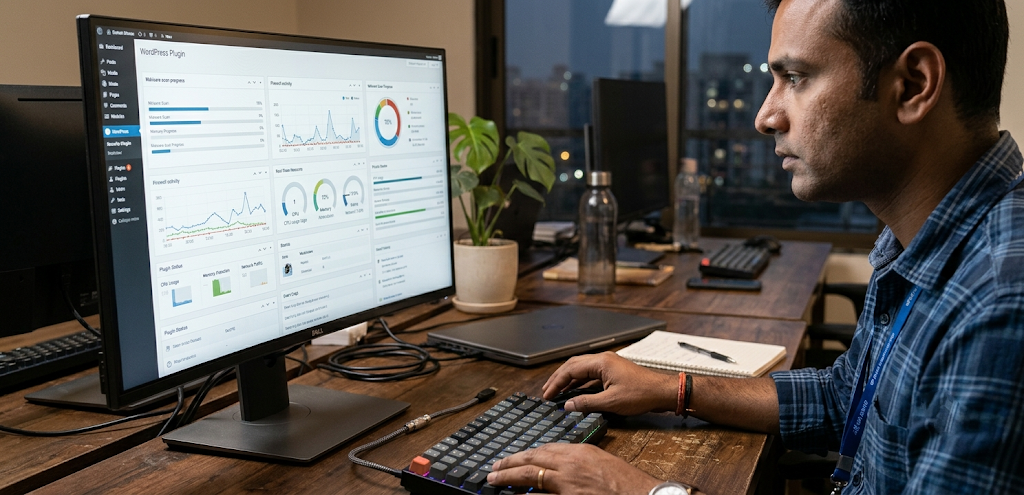
Security tools protect websites, but their configuration can influence performance. Not every security feature creates a noticeable slowdown. However, excessive scripts, repeated checks, inefficient scanning, and poorly configured services may increase server workload or browser processing time.
Understanding these potential conflicts helps website owners optimise security without removing essential protection.
Common examples include:
- Frequent malware scans: Resource-intensive scans running during peak traffic may increase server usage.
- Heavy security plugins: Some plugins load additional scripts or perform multiple background operations.
- Excessive firewall checks: Poorly configured rules or unnecessary verification steps may increase request-processing time.
- Unnecessary CAPTCHA challenges: Repeated challenges can interrupt browsing and create friction for legitimate users.
- Multiple security plugins: Overlapping functionality may create conflicts and duplicate processes.
- Excessive logging: Large volumes of activity logs can consume storage and database resources.
- Unoptimised third-party security scripts: External resources may introduce additional network requests.
These issues do not mean security tools should be removed. They indicate that website owners should evaluate how each feature works and whether it is configured correctly.
4. Choose Secure and Performance-Focused Web Hosting
Web hosting is one of the most important factors affecting both website security and performance.
A good hosting provider should offer reliable infrastructure, strong security controls, sufficient server resources, and technologies that support fast page delivery.
Cheap hosting may appear attractive initially, but limited resources, outdated server software, poor isolation, and inadequate support can create problems as website traffic increases.
When choosing hosting for a business website, consider the following features:
- SSL support: Ensure your hosting plan supports HTTPS and certificate installation.
- Server-level security: Look for firewall protection, malware monitoring, and account isolation.
- Regular backups: Confirm that backups are available and that restoration is practical.
- Modern PHP support: Use a currently supported PHP version compatible with your WordPress installation and plugins.
- SSD or NVMe storage: Faster storage can improve file and database operations.
- Server caching: Look for suitable page caching and other supported caching technologies.
- Resource availability: Choose a plan with enough CPU, memory, and storage for your website.
- Technical support: Make sure help is available when performance or security issues occur.
Managed WordPress hosting can be useful for businesses that prefer hosting environments with WordPress-specific maintenance and security features.
However, hosting plans should be compared according to actual requirements rather than marketing claims. A high-traffic eCommerce website may need a different infrastructure from a small business website.
5. Use HTTPS and SSL Certificates Without Compromising Speed
HTTPS protects information exchanged between a visitor’s browser and a website server through encryption. It helps prevent unauthorised parties from easily reading or modifying data while it is transmitted.
An SSL/TLS certificate enables HTTPS connections and is an essential security requirement for modern business websites.
Website owners should make sure that:
- The SSL/TLS certificate is valid and correctly installed.
- Every important page loads through HTTPS.
- HTTP requests redirect correctly to HTTPS.
- Internal links use secure URLs.
- Images, scripts, and stylesheets do not load through insecure HTTP connections.
- Certificate renewal is monitored to prevent unexpected expiration.
Modern TLS configurations are designed to provide strong security with efficient connection handling. HTTPS should not be removed to improve website speed.
For additional performance benefits, website administrators can use modern protocols such as HTTP/2 or HTTP/3 when supported by their hosting infrastructure and visitors’ browsers.
These protocols can improve the efficiency of transferring website resources, although the actual benefit depends on hosting, network conditions, and website configuration.
Businesses should also avoid unnecessary redirect chains. For example, a visitor should not have to pass through multiple redirects before reaching the final secure page.
Correct HTTPS implementation protects visitors while supporting a modern website infrastructure.
6. Optimise Security Plugins and Avoid Unnecessary Tools
WordPress users often depend on plugins to add security features without manually configuring every protection layer.
Security plugins can provide useful functionality, including login protection, malware detection, firewall rules, file monitoring, and suspicious activity alerts.
However, installing several plugins that perform the same tasks may create unnecessary complexity.
For example, running multiple firewall systems or repeated login-protection modules can cause conflicts and duplicate operations.
Popular WordPress security solutions include:
- Wordfence Security: Offers firewall protection, malware scanning, and security monitoring.
- Solid Security: Provides account protection, login security, and other WordPress security features.
- Sucuri Security: Offers website security monitoring and integration with additional security services.
- All-In-One Security (AIOS): Provides a range of WordPress security controls and hardening options.
The features available may differ by product version and subscription.
Before installing a security plugin, review your hosting provider’s existing security features. Some managed hosting environments already provide server-level firewalls, malware monitoring, or login protection.
Follow these recommendations:
- Select a security solution that meets your actual requirements.
- Avoid installing multiple plugins with overlapping features.
- Remove plugins that are no longer required.
- Keep the selected security plugin updated.
- Configure alerts to avoid unnecessary notifications.
- Review scan schedules and resource usage.
- Test website functionality after changing security settings.
The goal is not to install the maximum number of security plugins. It is to build a reliable security setup with minimal unnecessary overhead.
7. Use Caching and CDN Services Carefully
Caching and Content Delivery Networks (CDNs) can improve website performance by reducing repeated server processing and delivering resources more efficiently.
They can also support website reliability and certain security functions when configured correctly.
How Caching Helps
Caching stores reusable versions of website content so that the server does not need to generate every page from scratch for every visitor.
Common caching methods include:
- Page caching.
- Browser caching.
- Object caching.
- Opcode caching.
- Database query caching.
For WordPress websites, suitable caching solutions may reduce server workload and improve loading times.
How a CDN Helps
A CDN distributes website resources across multiple geographically distributed servers. Visitors can receive cached content from a location closer to them, depending on the CDN’s network and configuration.
CDN services may also provide additional security features such as traffic filtering, DDoS mitigation, and web application firewall capabilities.
Consider these practical recommendations:
- Configure page caching according to website functionality.
- Exclude sensitive account and checkout pages from public caching.
- Avoid caching personalised customer information.
- Set appropriate browser cache headers.
- Use a CDN that supports your website’s technical requirements.
- Review firewall and caching rules together.
- Clear or refresh cached content after important website updates.
For eCommerce websites, caching must be configured carefully. Shopping carts, checkout sessions, and account pages often require dynamic content that should not be shared between visitors.
A correctly configured caching and CDN strategy can improve performance while supporting website reliability.